Reviews
Virtual Drive Explorer Simulator offers a refreshing break from competitive racing games. With two large maps to explore and no timers or opponents, it is ideal for casual players. The ability to switch cars and drive through empty city or countryside streets makes every session unique. A great choice for unwinding.
About this game
Game Introduction
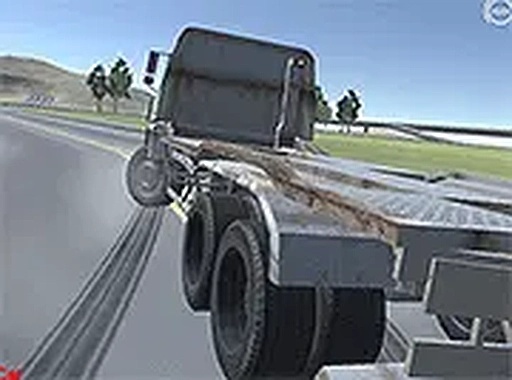
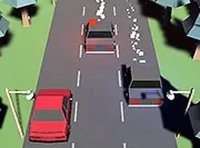
Virtual Drive Explorer Simulator is a relaxing open world driving game that focuses on exploration and freedom rather than competition. Unlike traditional racing games, there are no opponents, time limits, or objectives to complete. Players can simply get behind the wheel and enjoy a stress free virtual drive through two distinct environments: a bustling city and a serene countryside. Both settings are empty of other vehicles and pedestrians, allowing you to focus entirely on the joy of driving. The game encourages creativity and relaxation, making it suitable for players of all ages who want to unwind.
How to Play
Playing Virtual Drive Explorer Simulator is simple and intuitive. Use your keyboard or mouse to control your car. You can accelerate, brake, and steer freely through the open world. There are no rules or instructions to follow—just get in your car and go. If you want a change of scenery, you can instantly switch between the city and countryside maps. The game is designed for desktop play and works best on computers. You can also play in full screen mode for a more immersive view. The controls are responsive and easy to learn, whether you want to test the limits of speed or enjoy a peaceful tour.
Game Features
Virtual Drive Explorer Simulator offers a unique driving experience with several key features. You can choose between two different cars at the start and switch between them at any time. The game includes two open world maps: a city and a countryside, both free of traffic and pedestrians. There are no penalties for hitting objects like trees, buildings, fences, or street lights. Full screen mode is available for a more immersive experience. The game uses simple keyboard and mouse controls, making it accessible to players of all skill levels. It is a safe, family friendly game that removes all pressure and competition.
Tips for Success
Since there are no goals or penalties in Virtual Drive Explorer Simulator, success is defined by your own enjoyment. Take your time to explore both maps thoroughly, as each offers unique scenery and driving experiences. Experiment with different speeds and driving styles, from slow cruising to high speed runs. Use the ability to switch between cars to find the one that feels best for you. Playing in full screen mode can enhance immersion and make the experience more relaxing. Most importantly, remember that there is no right or wrong way to play—simply drive and have fun.
Compatibility
💻 Desktop | 📱 Mobile | 📟 Tablet
– All supported · Best with Chrome or Safari
 Riftify