Reviews
Shoot the Watermelon is a straightforward arcade game that rewards precision and planning. With 20 levels, each limited by bullets and time, it offers a gradual difficulty curve that keeps you engaged. The fruit targets eliminate any violent feel, making it suitable for all ages. The game loads quickly in browser and runs smoothly. Replayability comes from trying to beat your own accuracy or complete levels with fewer shots. It is a solid choice for short breaks or casual gaming.
About this game
Game Introduction
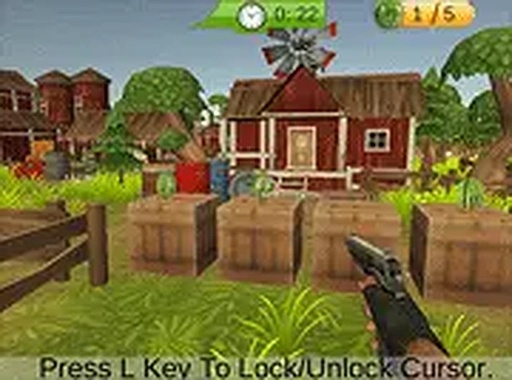
Shoot the Watermelon Online Arcade Game is a browser-based target practice game where players aim at watermelon targets using their mouse cursor. The core objective is to hit all watermelons within a time limit using a limited number of shots. What makes this game unique is its fruit-based targeting system, which provides a non-violent shooting experience suitable for all ages. The game is designed for desktop play and can be enjoyed directly in a web browser without any downloads.
How to Play
Players use their mouse to move a crosshair over watermelon targets displayed on the screen. Clicking the mouse button shoots at the watermelon. Each level provides a set number of bullets and a 30-second timer. The goal is to shoot all watermelons before time runs out. Missing shots reduces the available ammo, so careful aiming is important. As players progress through the levels, the difficulty increases, requiring more precise aim and faster decisions. The game can be played in full-screen mode for a larger view.
Game Features
The game includes 20 levels with increasing difficulty. Each level features a 30-second timer and a limited number of bullets, encouraging strategic shooting. The fruit-targeting system ensures a safe, family-friendly experience with no violent content. The game is free to play directly in a browser and includes a full-screen option for better immersion. It is built with Unity WebGL and works best with a keyboard and mouse on a desktop computer.
Tips for Success
To improve your performance, practice aiming quickly and accurately at the watermelon targets. Plan each shot carefully to conserve bullets, as missing can leave you without enough ammo to complete the level. Pay attention to the timer and try to shoot efficiently to avoid running out of time. As levels become harder, focus on your hand-eye coordination and reaction speed. Taking short breaks between levels can help maintain focus and accuracy.
Compatibility
💻 Desktop | 📱 Mobile | 📟 Tablet
– All supported · Best with Chrome or Safari
 Riftify