Reviews
Galactic Driver offers a solid arcade experience with responsive controls and a good variety of levels. The stunt system adds replayability as you try to earn more bonus points. Upgrading vehicles gives a sense of progression. It is a clean, family-friendly game that runs smoothly in any browser. Ideal for short breaks or longer play sessions.
About this game
Game Introduction
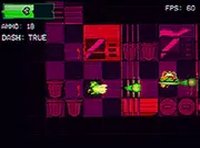
Galactic Driver is a fast-paced racing game set in a space environment. Players control a high-speed vehicle navigating through various tracks or levels that feature obstacles and challenges. The core objective is to drive skillfully, avoid hazards, and progress through increasingly difficult stages. What makes this game unique is the combination of space-themed racing with stunt mechanics, allowing players to perform aerial tricks for bonus points. It is designed for quick, engaging sessions and is suitable for players of all ages who enjoy driving games with an arcade feel.
How to Play
Players control their vehicle using keyboard inputs on desktop or touch controls on mobile devices. The primary actions involve steering, accelerating, and using a jump function to become airborne. While in the air, players can perform stunts to earn extra points. The goal is to complete each level by driving through the course and avoiding obstacles. As players advance, they may encounter more complex track layouts and faster-paced challenges. The controls are intuitive, making it easy for beginners to start playing immediately.
Game Features
Key features include high-speed racing through a space setting with multiple levels. A stunt system rewards players for performing aerial tricks, adding a layer of skill. The game includes a garage where players can purchase and upgrade vehicles to improve speed and handling. It is a free-to-play browser game that requires no download and works seamlessly on both mobile and desktop devices. Full-screen support enhances the immersive experience. The game is family-friendly and designed for players of all ages.
Tips for Success
To succeed, practice controlling your vehicle at high speeds and learn the layout of each level. Use the jump feature strategically to perform stunts and earn bonus points, but be careful not to crash. Regularly visit the garage to upgrade your vehicle; better speed and handling can make later levels easier. Focus on avoiding obstacles rather than just going fast, as one mistake can end your run. Take short breaks if you feel frustrated, as a clear mind helps with precision driving.
Compatibility
Play on Any Device | Chrome / Safari / Edge Recommended
 Riftify