Reviews
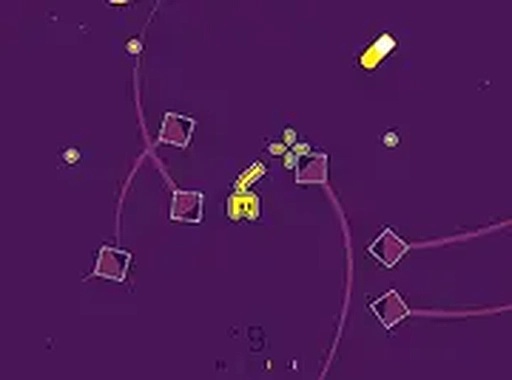
Gem Gem! provides a straightforward yet engaging arcade shooting experience. The gem collection system adds depth, encouraging players to manage enemy counts for better rewards. Difficulty scales naturally, keeping each session fresh. Controls are responsive, and the visual style is bright and appealing. It is easy to pick up for a few minutes, but the scoring system invites longer play sessions to beat high scores. A solid choice for casual gamers.
About this game
Game Introduction
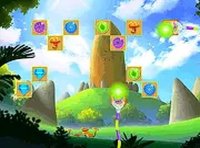
Gem Gem! is an action-packed omnidirectional shooting game that combines fast-paced combat with a rewarding gem collection system. In this game, players navigate a vibrant arena, shooting enemies while collecting precious gems dropped from defeated foes. Small gems give you +10 points, while large gems provide a massive +200 points. The game features dynamic difficulty scaling: as you collect more gems, more enemies spawn, increasing the challenge. The enemy count directly influences gem patterns: with 25 or fewer enemies, only one small gem drops; between 26 and 50 enemies, you get 10 small gems; from 51 to 75 enemies, you receive 10 small gems and one large gem; and with 76 or more enemies, five large gems appear. This system encourages strategic gameplay, as you can predict gem drops based on the number of enemies. Designed for desktop play, Gem Gem! offers a fun and engaging experience for all ages, with simple controls and a rewarding loop that keeps you coming back for more.
How to Play
To play Gem Gem!, use your keyboard or mouse to move your character and shoot enemies. Your goal is to collect gems dropped from defeated enemies to score points. When enemies hover in groups, shoot them for multiple kills and gather gems efficiently. The more gems you collect, the more enemies spawn, increasing the difficulty. Keep an eye on the enemy count to predict gem patterns and maximize your score. The game is designed for desktop play and works best with a keyboard or mouse. Use arrow keys or WASD to move, and click or press a designated key to shoot. Stay alert and dodge enemy attacks while focusing on gem collection. With practice, you can develop strategies to handle larger enemy groups and earn higher scores.
Game Features
Action-packed omnidirectional shooting. Gem collection mechanics with small and large gems. Dynamic difficulty scaling based on gem collection. Predictable gem patterns tied to enemy count. Simple keyboard and mouse controls for desktop play.
Tips for Success
Focus on collecting gems as soon as they drop to avoid missing them. Watch the enemy count to anticipate gem patterns and plan your movements. Practice dodging enemy attacks while shooting to survive longer. Prioritize groups of enemies to collect multiple gems at once. Stay calm as the difficulty increases, and adjust your strategy to handle larger waves.
Compatibility
💻 Desktop | 📱 Mobile | 📟 Tablet
– All supported · Best with Chrome or Safari
 Riftify