
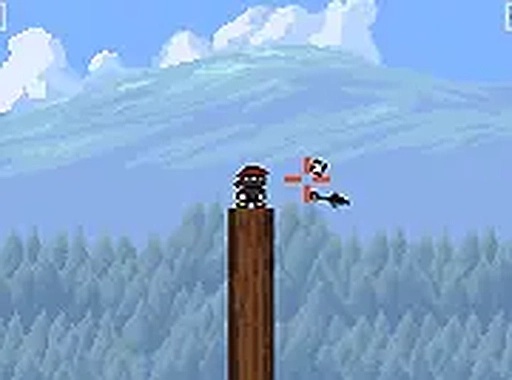
Timing Defense Challenge
Timing Defense Challenge is a free browser arcade game where you block incoming items by releasing your own at the right moment. Simple controls, endless fun.
Reviews
About this game
Game Introduction
Timing Defense Challenge is a browser-based arcade experience that focuses on timing and accuracy. In this game, players take on the role of a defender who must block a continuous stream of incoming items by releasing their own items with precise timing. The core objective is simple: hit as many incoming items as possible to protect yourself. What makes this game unique is its focus on pure reflex and timing without complex rules or lengthy tutorials. The action gradually intensifies as you progress, starting at a manageable pace and increasing in speed and difficulty over time. This design makes it ideal for quick gaming sessions, offering a straightforward challenge that is easy to pick up but difficult to master. The game runs directly in your browser on both mobile and desktop devices, with no downloads required. It also includes a full screen mode for a more immersive experience, allowing players to focus entirely on the action. The clean, minimal design helps players concentrate on the gameplay without distractions.
How to Play
Players typically control their character by holding down a button or tapping the screen to charge an item, then releasing at the right moment to throw it at incoming items. The goal is to hit as many incoming items as possible to defend yourself. The game starts at a manageable pace but increases in speed and intensity over time, requiring quick reflexes and careful timing. Controls are simple: on mobile devices, use touch input; on desktop computers, use a mouse or keyboard. No downloads are necessary—just open your browser and start playing. The straightforward control scheme makes it accessible to players of all ages and skill levels.
Game Features
Key features include simple one-tap controls that make it easy to pick up and play. The game offers an endless challenge that keeps you engaged, with increasing difficulty to ensure lasting interest. It is completely free to play with no hidden costs. The game supports both mobile and desktop devices, allowing you to play anywhere. A full screen mode is available for a more focused experience. The clean design helps players concentrate on the action without unnecessary distractions. These features combine to create a polished and accessible gaming experience.
Tips for Success
To improve your performance, practice regularly to develop a sense of timing. Focus on the rhythm of incoming items and release your item at the precise moment. Stay calm as the speed increases, and avoid rushing your throws. Using full screen mode can reduce distractions and help you concentrate. Consistent practice will help you survive longer and achieve higher scores.






Comments
0 comments