Reviews
Formula One Grand Prix Racing Arcade delivers an engaging arcade racing experience directly in your browser. The game features six distinct tracks, a progression system to unlock new cars, and performance upgrades for engines, tires, and aerodynamics. The leaderboard adds a competitive edge, allowing you to compare lap times with others. It is easy to pick up and play, with keyboard controls and full-screen mode for immersion. A solid choice for casual racing fans looking for a free, no-download game.
About this game
Game Introduction
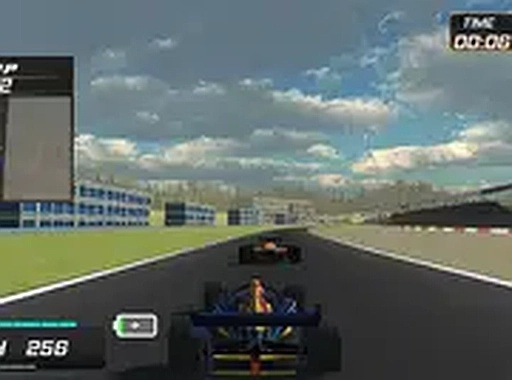
Formula One Grand Prix Racing Arcade is a browser-based racing experience that puts you behind the wheel of a high-performance Formula One car. The core objective is to compete in Grand Prix-style races, aiming to finish first on a variety of tracks. What makes this game stand out is its combination of fast-paced arcade racing with a progression system that allows you to upgrade your vehicle and unlock new cars as you win. It is designed for desktop play and offers a full-screen mode for a more immersive experience.
How to Play
Players typically start by selecting a track and an initial car. Using keyboard controls, you accelerate, brake, and steer your Formula One car through each course. The goal is to navigate tight corners and maintain high speed to finish in first place. Winning races earns rewards that can be used to improve your car's performance. As you progress, you can unlock additional cars with better stats. The game runs directly in your browser with no download required, and you can switch to full-screen mode for a better view.
Game Features
The game includes six distinct tracks, each with its own layout and challenges. You can unlock new Formula One cars as you win races. Performance upgrades are available for engines, tires, and aerodynamics to improve your car's handling and speed. A competitive leaderboard allows you to compare your best lap times with other players. The game supports full-screen mode and is free to play in your browser.
Tips for Success
To succeed, focus on mastering each track's layout to anticipate turns and braking points. Practice consistently to improve your lap times and learn the best racing lines. Prioritize upgrades that match your driving style, such as better tires for cornering or engine upgrades for straight-line speed. Keep racing to unlock faster cars, and use the leaderboard to track your progress and set new goals.
Compatibility
✅ This game supports:
- Desktop browsers (Chrome, Edge, Safari)
- Mobile browsers (Chrome on Android, Safari on iOS)
❌ Does NOT support: - Internet Explorer - Very old browser versions
👉 Try refreshing or updating your browser
 Riftify