
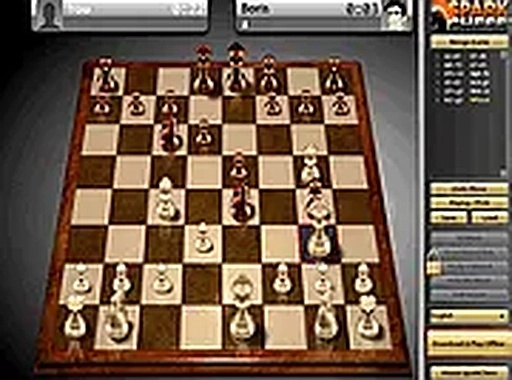
SparkChess Chess Strategy Game
SparkChess is a free online chess game that offers a friendly AI opponent for players of all ages. Adjust difficulty, choose your color, and play instantly in your browser.
Reviews
About this game
Game Introduction
SparkChess is an online chess game designed to be a supportive and enjoyable opponent for players of all ages. Unlike many chess programs that prioritize a tough AI, SparkChess focuses on creating a fun learning environment. You can select a difficulty level that matches your experience, from beginner to advanced, and choose the color of your pieces. The game runs directly in your browser on both desktop and mobile devices with no downloads required. It is completely free to play, making it accessible for quick matches or extended practice sessions. Whether you are new to chess or looking to refine your strategies, SparkChess provides a relaxed setting to enjoy this classic game.
How to Play
To start playing SparkChess, first select your desired difficulty level and the color of your chess pieces. The game then sets up a standard chess board. You take turns moving your pieces according to traditional chess rules, aiming to checkmate your opponent's king. The AI opponent adapts to your chosen difficulty, offering a balanced challenge. You can play in full-screen mode for a more immersive experience. The controls are intuitive, with clear visuals and smooth interactions. After your match, you can explore other puzzle and thinking games available on the site.
Game Features
Adjustable difficulty levels for players of all skill levels. Playable on desktop and mobile browsers without any download. Full-screen mode for an immersive experience. Friendly AI that adapts to your skill level. Free to play with no hidden costs.
Tips for Success
Practice regularly to improve your understanding of basic tactics like forks, pins, and skewers. Study classic openings to build a strong foundation, and focus on controlling the center of the board. Review your games to learn from mistakes, and try playing against higher difficulty levels as you improve. Most importantly, enjoy the process and stay patient—chess mastery comes with time and consistent play.





Comments
0 comments